Gemini 3 & Nano Banana Pro: What’s New and Why You Should Care

If you’ve been following AI news, you’ve probably heard about Gemini 3 and Nano Banana Pro. Google just dropped these updates, and trust me, this is a big deal for creators, freelancers, and anyone making visual content.
But before we dive in, let’s be real… all the power in the world doesn’t matter if you can’t pay for it. That’s where Myaza comes in (more on that later).
What’s Gemini 3 and Nano Banana Pro?
Gemini 3 is Google’s latest AI model. Think of it as your ultra-smart creative assistant. Generate text, answer questions, even plan projects. It’s way faster and more reliable than earlier AI models.
Nano Banana Pro? That’s the visual magic. It’s built on Gemini 3 and can create high-quality images, mockups, graphics, and even design sequences. Basically, if you’ve ever struggled with AI image quality, consistency, or layout, Nano Banana Pro fixes that.
Here’s what makes it shine:
High resolution outputs – up to 2K/4K for crisp visuals
Text in images works – no more weird gibberish or font fails
Multiple objects & consistency – great for storyboards, branding, or multi-element scenes
Better control over style, lighting, and angles – so your images feel polished and professional
Basically, it’s studio-level output in an AI tool.
What You Can Do With It
The possibilities are huge:
Content creation: social media posts, TikTok/Reels graphics, YouTube thumbnails
Marketing visuals: product mockups, ads, banners, promo content
Educational materials: infographics, slides, explainer visuals
Branding: logos, posters, social media cards
Storyboards & creative projects: multiple images blended together with consistency
In short: If you’re making visuals for work, fun, or side hustles, this is next-level stuff.
The Catch: Access Limits
Here’s the tea: while Gemini 3 is available on Google AI Studio, there’s a daily free limit. Hit it, and you’re blocked until the next day. Not fun if you’re in flow mode.
Nano Banana Pro? You can’t use it at all for free unless you have a paid API key. That’s right, no free unlimited runs, no matter how creative you are.
So, if you’re a creator outside the US, UK, or EU, paying for access becomes tricky. Many local cards fail international transactions, FX rates are harsh, and subscription payments sometimes just get declined.
How Myaza Helps Creators Access These Tools
This is where we slide in 😎
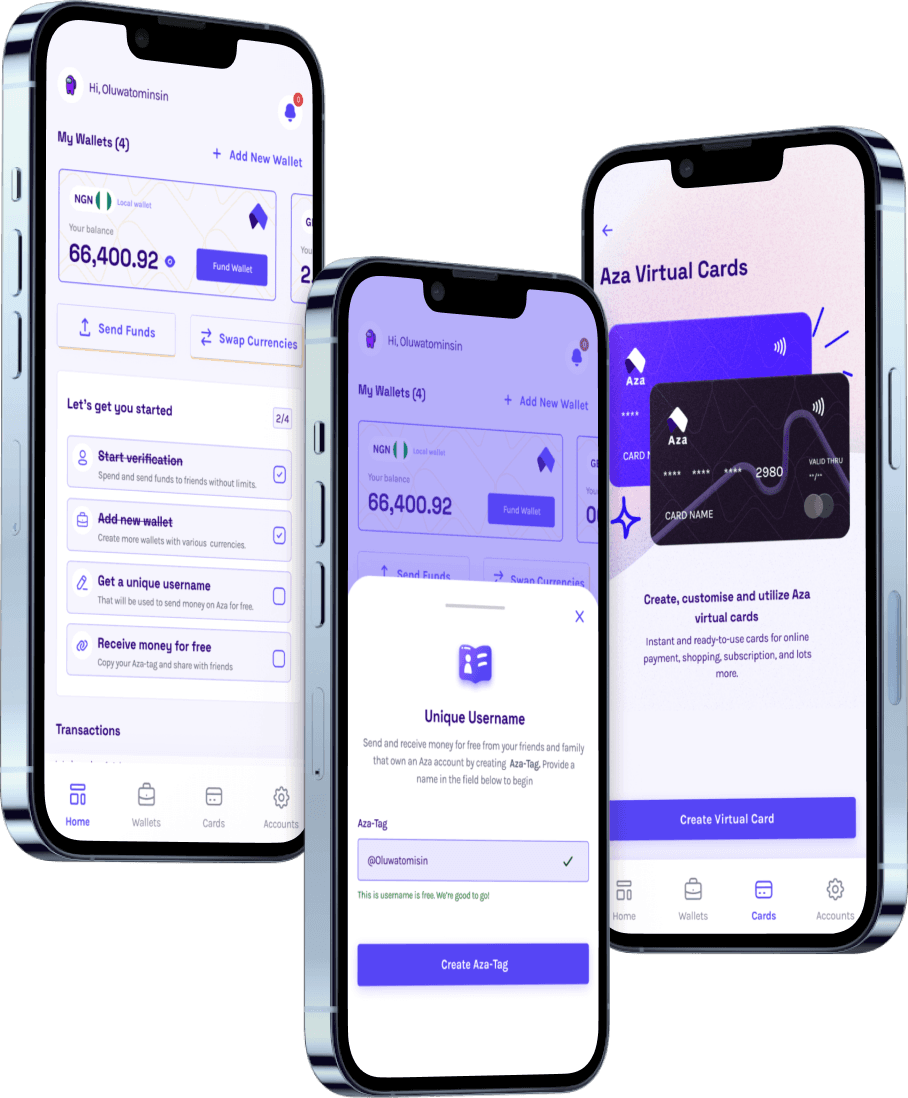
Myaza USD virtual card solves the payment problem. Here’s why:
Works instantly on international tools like Google AI Studio and Nano Banana Pro API
Fund in NGN, USDT, or USDC. Myaza converts it seamlessly to USD
No more failed transactions or bank declines
Transparent rates, no hidden charges
So if you want to use Nano Banana Pro without hitting walls, Myaza gives you access + flexibility. You focus on creating, we handle the payment hassle.
Quick Tips for Getting the Most Out of Nano Banana Pro
Start with simple prompts: Don’t cram too many ideas into one prompt.
Use descriptive language: lighting, angles, style, and action matter.
Iterate: Run multiple generations, refine prompts, combine results.
Batch work: Generate similar visuals together for consistent style.
Keep a library: Save successful prompts for future projects.
Pro tip: If you’re serious about social media growth or client work, treat Nano Banana Pro like a studio tool. Plan, iterate, and refine.
Bottom Line
Gemini 3 + Nano Banana Pro are serious upgrades for anyone creating visuals, marketing materials, or brand content. But access limits and payment hassles can kill your workflow.
That’s why creators in Africa need Myaza: a fast, reliable, and global-ready USD card that ensures you can pay for API keys, subscriptions, and premium access without headaches.
Creativity unlocked + payments solved = unstoppable workflow.
So go ahead, explore Gemini 3, unleash Nano Banana Pro, and let Myaza handle the payments while you focus on making your content shine.